
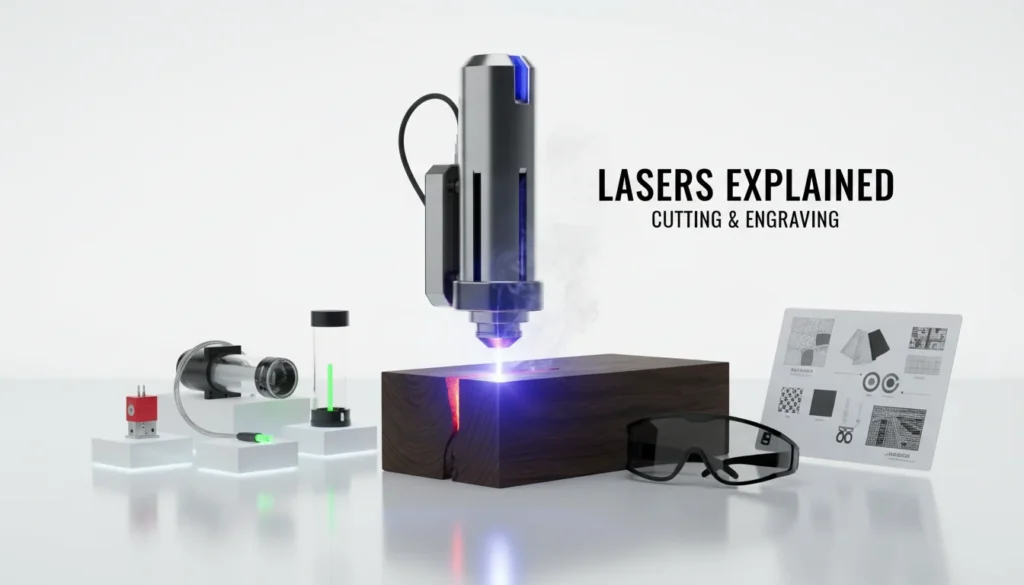
Lasers are the quiet workhorses behind modern making—one moment you’re marking a serial number on steel, the next you’re cutting acrylic signage or engraving a photo onto wood. I still remember the first time I dialed in a laser engraving job: the design looked perfect on-screen, but the real “aha” came from understanding focus, material settings, and why different lasers behave so differently. If you’ve ever wondered what lasers really are, why a diode laser struggles on clear acrylic, or how a UV laser can engrave tiny details, this guide will make it click.

What Are Lasers (and Why They’re Different From “Normal” Light)?
A laser is a light source that produces a beam that’s highly directional, often narrow in wavelength, and coherent compared to a bulb or LED. In practical terms, lasers concentrate energy into a small spot, which is why they can engrave, cut, weld, measure distance, scan barcodes, and more. The word “laser” comes from Light Amplification by Stimulated Emission of Radiation, a principle rooted in quantum physics.
If you want a clear, reputable primer on the underlying mechanism, the National Ignition Facility’s guide to how lasers work is one of the best educational resources available. For a more technical overview of laser properties and operating principles, RP Photonics’ laser fundamentals is a strong reference.
How Lasers Work: The 3 Building Blocks
Most lasers share the same core architecture, even if the packaging looks completely different. Once you see these parts, you’ll understand why “laser type” matters more than marketing labels.
- Gain medium: The material that amplifies light (e.g., semiconductor diode, CO₂ gas, fiber-doped glass, UV source system).
- Pump energy: The input energy that “excites” the gain medium (electrical, optical, etc.).
- Optical cavity: Mirrors (including an output coupler) that bounce light back and forth to build intensity before it exits as a beam.
Because the physics is consistent, the differences you feel as a user—speed, edge quality, engraving contrast, metal capability—come down to wavelength, beam quality, power delivery (continuous vs pulsed), and system design.
Why Lasers Matter in Digital Fabrication (Cutting, Engraving, Welding)
In digital fabrication, lasers turn files into finished parts with minimal tooling. That’s why makers and small businesses rely on lasers for fast iteration and repeatable output.
Common laser workflows include:
- Laser engraving: Marking surfaces (wood, coated metals, leather, glass, plastics) with controlled heat or ablation.
- Laser cutting: Cutting sheet materials with clean kerfs and tight tolerances.
- Laser welding: Joining metals with localized heat input and reduced distortion compared to many traditional methods.
If you’re specifically exploring cutting processes, xTool’s Laser Cutting: The Ultimate Guide is a practical deep dive into materials, settings, and what to expect from different laser cutters.
Types of Lasers You’ll Actually Encounter (and What They’re Best At)
“Lasers” is a broad term. In fabrication, the most relevant categories are defined by wavelength and source, because those determine how energy couples into materials.
Diode Lasers (typically blue light)
Diode lasers are common in entry and mid-range systems due to compact size and efficiency. They’re great for engraving wood, leather, painted surfaces, and some plastics, and can cut thinner organic materials with the right power and setup. In my experience, the biggest learning curve is managing charring and edge darkening on wood—air assist and good focus fix more than people expect.
CO₂ Lasers (10.6 µm infrared)
CO₂ lasers excel at cutting and engraving acrylic, wood, paper, leather, and many non-metals. They’re often the go-to for signage and craft production because they cut fast and leave polished edges on acrylic in many cases. CO₂ is generally not for direct bare-metal engraving without coatings or specialized approaches.
Fiber Lasers (near-infrared, often ~1064 nm)
Fiber lasers are the workhorses for metal marking and many industrial applications. They’re strong on stainless steel, aluminum, brass, and more, producing crisp, permanent marks and sometimes deep engraving depending on power and pulse control. If metal is your priority, start with a metal-focused overview like xTool’s Metal Laser Engraving Machines.
UV Lasers (ultraviolet)
UV lasers can produce extremely fine detail with minimal heat-affected zone on certain materials. They’re often chosen for precision engraving, including on plastics, coated surfaces, and applications where thermal damage is a concern. For creators doing micro-text, intricate logos, or delicate materials, UV can feel like “printing with light.”
For a structured breakdown beyond the basics, xTool’s Types Of Lasers By Different Classifications is a helpful taxonomy.
Choosing a Laser: A Practical Decision Framework
Most buying mistakes happen when people choose a laser based on power alone. Power matters, but material + wavelength + workflow matters more.
Use this quick framework:
- What materials will you run 80% of the time? (wood/acrylic/metal/plastic/glass)
- Do you need cutting, engraving, or both?
- How important is fine detail vs speed?
- What’s your production volume? (hobby, Etsy-scale, small shop, enterprise)
- Do you need automation and repeatability? (camera alignment, conveyors, jigs, pass-through)
| Laser type | Typical strengths | Common limitations | Best materials | Ideal user |
|---|---|---|---|---|
| Diode | Affordable entry; compact; versatile for light engraving/cutting; good for learning | Limited power for thick cuts; slow on dense materials; struggles with clear acrylic; limited metal capability (often needs spray/coating) | Wood, leather, paper/cardstock, dark acrylic (thin), anodized aluminum (marking) | Beginners, hobbyists, small craft shops on a budget |
| CO2 | Strong cutting performance; clean edges on plastics; high speed on organics; excels at acrylic cutting | Cannot directly engrave bare metals; larger footprint; requires mirrors/alignment and water cooling; sensitive to fumes/venting needs | Acrylic (clear/colored), wood, leather, rubber, glass (engraving) | Makerspaces, sign shops, anyone prioritizing acrylic cutting/production throughput |
| Fiber | High-contrast, durable metal marking; fast; low maintenance; fine metal engraving; great for serials/QR codes | Not for cutting/engraving most organics; poor on acrylic/wood; higher upfront cost; smaller working area typical | Stainless steel, aluminum, brass, titanium, coated metals, some plastics for marking | Manufacturers, machine shops, jewelry/EDC brands needing reliable metal marking |
| UV | Very fine detail; low heat input (“cold” marking); minimal charring; excellent on sensitive materials and micro-text | Typically lower power; slower for deep engraving/cutting; higher cost; smaller field common | Plastics (ABS/PC/PMMA), glass, ceramics, coated/painted surfaces, electronics components | Electronics/medical labeling, premium product marking, users needing crisp micro-detail with minimal heat |
Laser Safety: The Non-Negotiables (Beginner-Friendly, Shop-Ready)
Lasers are tools, but they’re also controlled energy systems. Treat laser safety like you would a table saw: routine, not optional.
Key laser safety practices:
- Eye protection: Use wavelength-appropriate laser safety eyewear when required, and don’t rely on “tinted glasses.”
- Ventilation: Use proper exhaust/filtration; many materials produce harmful fumes.
- Material rules: Avoid unknown plastics; some (like PVC/vinyl) can release corrosive, toxic gases.
- Fire prevention: Never run unattended; keep a fire extinguisher rated for your shop environment.
- Enclosures and interlocks: Prefer enclosed systems for shared spaces and classrooms.
For broader safety standards and best practices, organizations like OSHA provide foundational workplace safety guidance (always align it with your local regulations and your specific equipment class).

Common Laser Problems (and Fixes That Actually Work)
When people say “my lasers aren’t working,” it’s usually one of a few repeatable issues. These are the fixes I reach for first because they solve the majority of failed jobs without guesswork.
- Engraving looks faded or uneven
- Re-focus, clean optics, reduce speed, and confirm material coating consistency.
- Cuts don’t go through
- Increase power or reduce speed, add air assist, and check that the bed isn’t reflecting heat back into the cut.
- Edges are charred
- Improve air assist, use masking, reduce power per pass, and consider multiple lighter passes.
- Details look “mushy”
- Tighten focus, reduce acceleration, and confirm you’re using the best wavelength for the material.
- Metal marking won’t stick
- Ensure you’re using a laser suited to metal marking (often fiber), or use appropriate marking methods/coatings where applicable.
Which Laser is the RIGHT Laser? | UV vs CO2 vs Fiber Lasers
Real-World Applications: Where Lasers Create Business Value
Lasers aren’t just for hobby crafts—though they’re great at that. They’re also a practical revenue tool because they enable personalization, short runs, and fast turnaround.
High-ROI use cases I see most often:
- Personalized gifts and home décor: Names, dates, photo engravings, custom signage.
- Product branding: Logo marking on metal tools, tumblers, electronics accessories, packaging.
- Education and prototyping: Rapid iteration for STEM projects and design classes.
- Metal fabrication: Part marking, fixtures, and in some workflows, laser welding for clean joins.
xTool’s ecosystem is built around these workflows—laser cutters, laser engravers, laser welders, and printing—so users can move from design to production with fewer handoffs and more repeatability.

Lasers and xTool: Matching the Tool to the Outcome
In production, the “best” lasers are the ones that match your material mix and quality bar. For example, if you’re building a metal-focused product line, start by understanding what makes metal marking reliable and repeatable—xTool’s Metal Laser Engraving Machines guide lays out the key considerations. If you’re exploring laser cutting for signs, packaging, or classroom projects, the Laser Cutting: The Ultimate Guide is a solid next read.
If you want a neutral, broad definition of lasers and their design concepts, Wikipedia’s laser overview is a useful starting point—just treat it as a jumping-off point and validate specifics with standards and manufacturer documentation.
Conclusion: Lasers Turn Ideas Into Output—When You Choose and Use Them Right
Lasers can feel like magic the first time you see a clean cut or a perfect engraved mark, but the real unlock is understanding the basics: wavelength, focus, materials, and safety. When you match the right laser to the job—diode, CO₂, fiber, or UV—your results become predictable, scalable, and profitable. If you’re building a workshop, a classroom lab, or a small production line, lasers are one of the fastest ways to go from “concept” to “sellable.”
FAQ About Lasers
1) What are lasers used for in everyday life?
Lasers are used in barcode scanners, fiber internet, medical devices, distance measurement, manufacturing, and consumer engraving/cutting tools.
2) Which laser is best for cutting acrylic?
CO₂ lasers are typically best for acrylic cutting because the wavelength couples well into acrylic, often producing clean edges.
3) Can diode lasers engrave metal?
Some diode setups can mark certain coated or treated metals, but for consistent, permanent metal marking, fiber lasers are usually the better fit.
4) What’s the difference between laser engraving and laser cutting?
Laser engraving removes or alters the surface; laser cutting goes through the material to separate shapes. Many machines can do both depending on power and material.
5) Are lasers dangerous?
Lasers can be hazardous to eyes and skin, and fumes can be harmful. Proper enclosures, eyewear, ventilation, and material selection make laser work much safer.
6) What’s the best laser for fine-detail engraving on plastics?
UV lasers are often chosen for fine detail and lower thermal impact on certain plastics and coated materials.
7) How do I pick the right laser power?
Pick based on material thickness, desired speed, and quality. Power helps, but wavelength, optics, motion system, and workflow features often matter just as much.