
Laser Engravers Near Me: How to Find the Best Local (or At‑Home) Engraving Option
When you type “laser engravers near me” into Google, you’re usually under time pressure: a gift deadline, an event coming up, or a customer order waiting. I’ve been in that spot both as a buyer (needing last‑minute custom gifts) and as a creator running my own laser engraving setup, and I’ve learned that “near me” doesn’t just mean closest—it means best fit for your project, budget, and timeline.
This guide walks you step‑by‑step through finding the right local laser engraving service, and when it actually makes more sense to buy a desktop laser engraver and do it yourself.
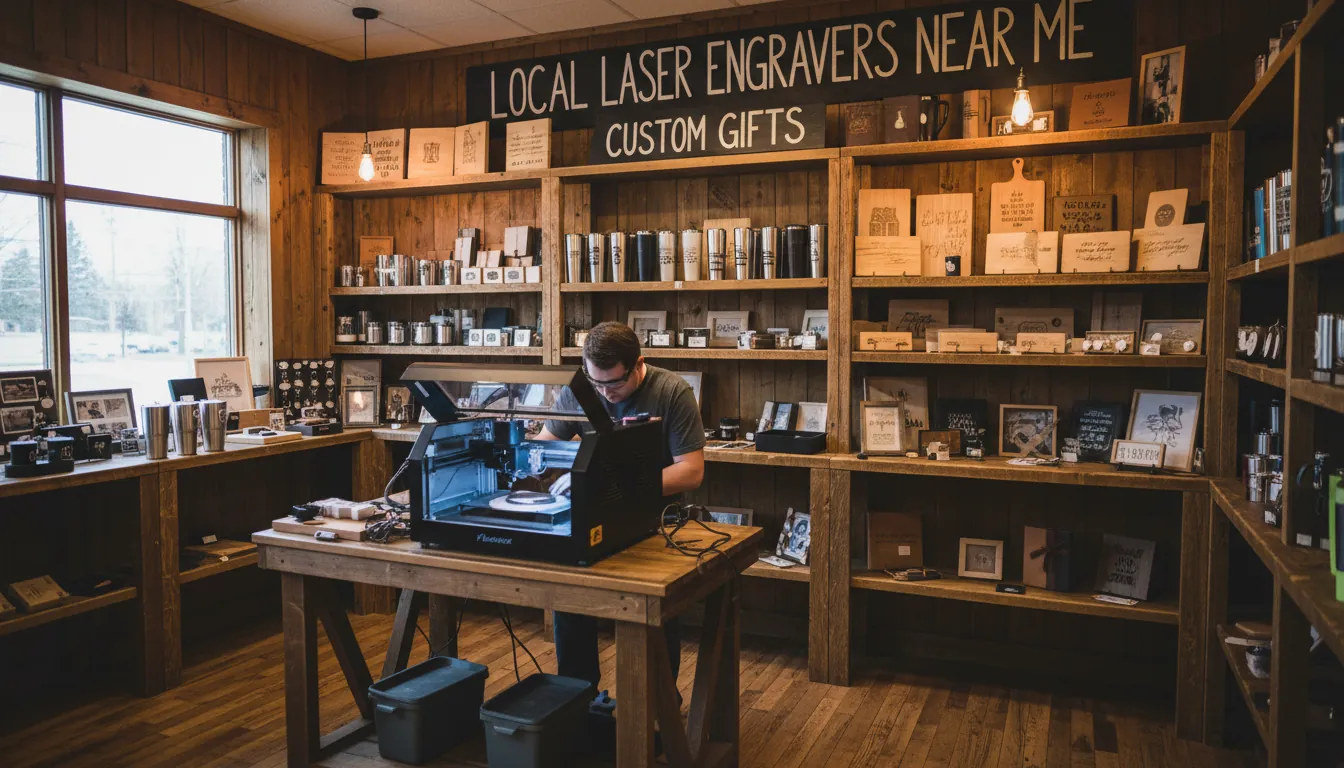
What People Really Mean by “Laser Engravers Near Me”
When people search for “laser engravers near me,” they typically want one of three things:
- A walk‑in engraving shop to personalize items (gifts, trophies, rings, tumblers, plaques, etc.)
- A commercial engraving partner for batch orders (nameplates, tags, branding, parts marking)
- An easy way to start engraving at home, either as a hobby or side business
Before you scroll through endless Yelp and Google Maps results, get clear on:
- What are you engraving?
Wood, metal, glass, acrylic, leather, plastic, or coated items? - How many pieces?
One sentimental gift vs. 200 branded bottles calls for very different solutions. - How fast do you need it?
Same day? This week? Or flexible? - What’s your budget?
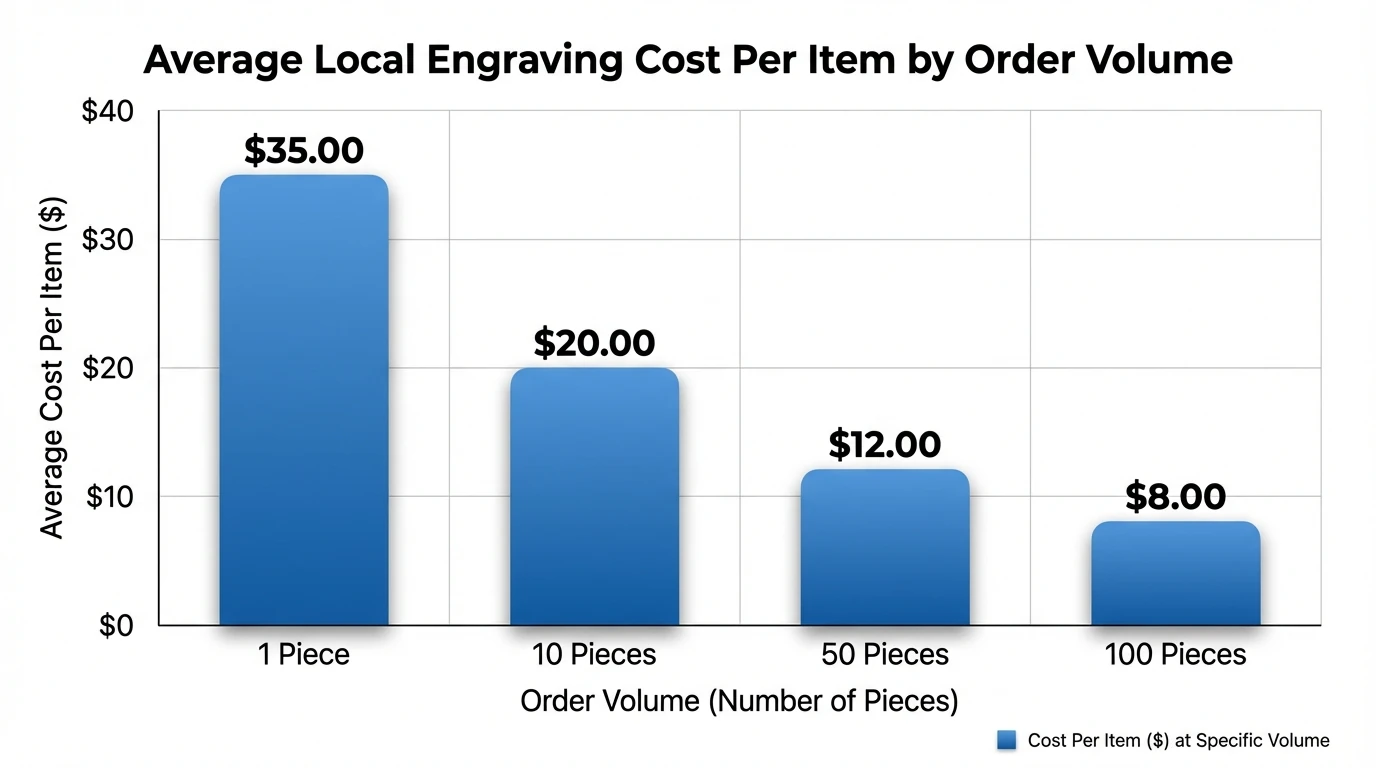
Local engraving could be $10–$50 for simple jobs, or much more for complex pieces.
Having these answers will save you from messaging a dozen shops that can’t even work with your material.
Where to Find Laser Engraving Services Near You
Use a mix of local search platforms to build a short list of nearby engravers.
1. Google Maps & “Near Me” Search
Type variations like:
- “laser engraving near me”
- “custom engraving near me”
- “trophy engraving near me”
- “industrial part marking near me”
Look for:
- Star rating (aim for 4.5+)
- Number of reviews (10+ is a good baseline)
- Photos showing actual engraved items, not just stock images
- Mention of the materials and services you need
2. Yelp, Thumbtack, and Bark
Sites like Yelp, Thumbtack, and Bark are helpful when:
- You want to compare reviews quickly
- You need to request quotes from multiple engravers at once
- You’re not sure what a fair price is
Pro tip from experience:
When I compared quotes on platforms like Thumbtack and Bark, price often varied by 2–3x for the same job. The engravers who asked smart questions about material and artwork were usually the ones who delivered the cleanest results.
3. Specialty Shops & Local Makers
Don’t forget:
- Trophy and award shops
- Jewelry stores (especially for metal, rings, watches)
- Print / sign shops (many now have in‑house laser engraving)
- Local makerspaces or FabLabs
Some of the best engravers don’t have flashy websites—they rely on word of mouth. Quick way to find them:
- Search “[your city] + laser engraving”
- Search “[your city] + trophies” or “awards”
- Ask in local Facebook/Nextdoor maker groups
Types of Laser Engraving Services You’ll See Locally
Different shops use different machines and processes. Knowing the basics helps you avoid the wrong provider.
CO₂ Laser Engraving
Best for:
- Wood
- Acrylic
- Leather
- Glass (etching)
- Some coated metals (e.g., anodized aluminum, powder‑coated bottles)
CO₂ lasers are common in gift and sign shops. They’re perfect for:
- Cutting and engraving wooden signs
- Etching designs on glassware
- Engraving leather wallets, journals, belts
- Engraving coated tumblers and flasks
Fiber Laser Engraving
Best for:
- Bare metals (stainless steel, titanium, aluminum, brass, etc.)
- Some plastics
Fiber laser engraving is typically used for:
- Tools and parts identification (serial numbers, QR codes)
- Jewelry and watches
- Deep engraving into metal for durable marks
If your project is metal‑heavy and you’re thinking about owning a machine one day, explore fiber laser engravers for metal engraving. It gives you a benchmark to compare what local providers are using.
Rotary & Mechanical Engraving
Some traditional engraving shops still use rotary tools or diamond drag engravers, especially for:
- Crystal and fine glassware
- Silverware and heirloom items
- Very curved or irregular metal surfaces
If you’re bringing a valuable or sentimental item, ask whether they use laser or rotary and why. In my experience, the best shops are honest about which method is safer for delicate pieces.
How to Choose the Best Laser Engraver Near You
Once you have a shortlist, use this quick checklist.
1. Confirm They Work With Your Material
When you contact a shop, clearly state:
- The material (e.g., solid walnut, stainless steel, borosilicate glass, faux leather)
- Whether the item has coating/paint/plating
- Any brand (e.g., YETI, Hydro Flask) – some coatings behave differently
If they say “We can engrave anything” but can’t explain how they handle your exact material, that’s a red flag.
2. Ask for Portfolio Photos
Request:
- Close‑up photos of similar items
- Before/after shots if they have them
- Photos that show fine text, not just big logos
You’re looking for:
- Clean edges with no burning or heavy charring on wood
- Consistent depth on metal
- Good contrast on coated items and plastics
3. Turnaround Time & Rush Fees
Typical scenarios:
- Simple engraving: Same‑day or 1–3 days
- Batch jobs: 3–10 business days, depending on volume and queue
Ask:
- “What is your standard turnaround?”
- “Do you offer rush service?”
- “How does rush pricing work?”
I’ve had shops double the price for same‑day work—which is fine if you’re in a jam, but you want to know in advance.
4. Pricing Structure
Common models:
- Flat fee per item (e.g., $15–$40)
- Price by engraving area size (e.g., per square inch)
- Setup/artwork fee (one‑time per design)
- Volume discounts for bulk orders
What to Bring (and Ask) Before You Visit a Local Engraver
When I work with local shops, these steps consistently lead to better results and fewer surprises.
1. Prepare Your Artwork Correctly
Most shops prefer:
- Vector files: SVG, AI, EPS, PDF
- High‑resolution black‑and‑white images for simple logos
Ask:
- “What file formats do you accept?”
- “Do you charge extra to clean up or convert my file?”
If you don’t have a logo or design, many engravers can create simple text layouts or use stock graphics from their library.
2. Bring a Backup Item (If Possible)
If your item is:
- Expensive
- One‑of‑a‑kind
- Emotionally important
Ask if they’re willing to do a test engrave on a similar surface first. Some shops will use:
- A sacrificial sample piece
- A discreet hidden area on your actual item
3. Double‑Check Spelling and Placement
Always:
- Print or write the exact text
- Confirm font, size, and alignment (centered, left, right)
- Review a digital or paper mockup if available
I’ve seen more projects ruined by a single typo than by any machine problem. Most shops will have you sign off on wording—take that step seriously.
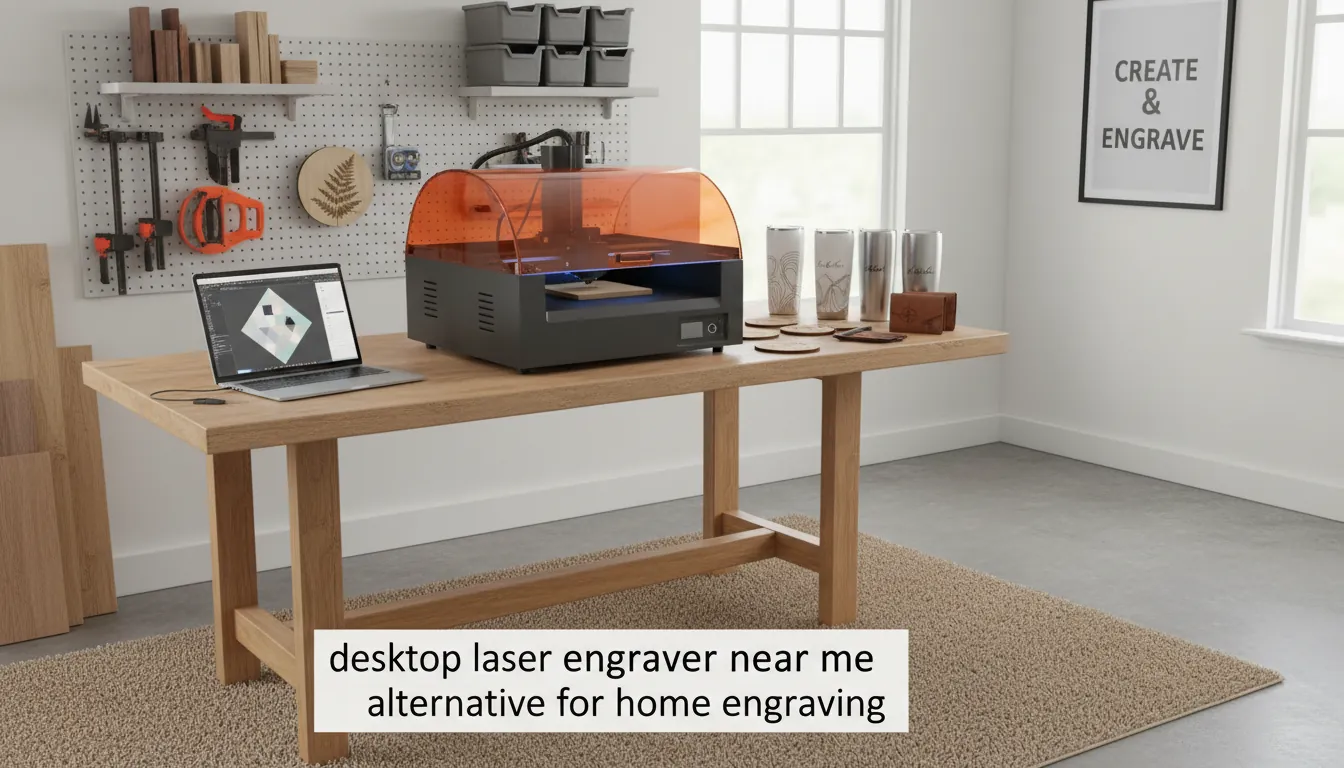
When “Laser Engravers Near Me” Isn’t Enough: Consider a Desktop Laser
There’s a point where repeatedly paying local shops becomes more expensive (and limiting) than owning your own machine.
Signs You Should Consider Your Own Laser Engraver
- You regularly engrave gifts for family, team members, or clients
- You want to launch a side hustle or small business with custom products
- You need fast turnaround and can’t wait for shop schedules
- You want to experiment with lots of designs and materials
If that sounds like you, look at curated options like desktop laser engravers and cutters for any budget. You’ll see how machine cost compares to what you currently spend at local engravers.
Local Service vs. Owning a Laser Engraver: Cost & Control
If you’re debating between using a local service and bringing laser engraving in‑house, this comparison helps.
| Factor | Local Laser Engraving Service | Owning a Desktop Laser Engraver |
|---|---|---|
| Upfront Cost | Low–medium; pay per job with no equipment investment | High; machine, ventilation, safety gear, and possible upgrades required |
| Cost per Item | Higher per piece; setup and minimum order fees common | Low per piece after break-even; best value for frequent or bulk engraving |
| Turnaround Time Control | Limited; dependent on shop schedule, queue, and business hours | High; you control production schedule and can run urgent or late-night jobs |
| Learning Curve | Very low; provider handles settings, materials, and maintenance | Moderate–steep; requires learning software, materials, safety, and machine maintenance |
| Design Flexibility | Constrained by shop capabilities, file requirements, and willingness to experiment | Very high; can iterate quickly, test unusual materials, and run many prototypes |
| Best For | Occasional jobs, one-off gifts, low volume, or users who prefer “done-for-you” service | Hobbyists, small businesses, prototyping, and anyone doing regular or high-volume engraving |
From my own experience, the switch point often happens when:
- You’re doing 20+ items per month, or
- You’re charging customers for engraving and want higher margins
To choose a beginner‑friendly machine, resources like 5 best laser engraver for beginners in 2025 are very helpful. They break down features, safety, and real‑world use cases in plain language.
Safety and Liability: Important Questions for Any Engraver
Whether you’re working with a local shop or using your own machine, never ignore safety.
For Local Shops
Ask:
- “Are there any risks with engraving this material?”
(Some plastics can melt or release fumes.) - “Do you have experience with this brand/item type?”
- “What happens if the item is damaged during engraving?”
Reputable shops will:
- Be honest about risks
- Sometimes decline projects that are unsafe or very high‑risk
- Explain their policy for loss or damage up front
For Home/Studio Users
If you’re thinking of buying your own engraver:
- Choose a machine with proper enclosure and exhaust
- Learn safe settings for each material
- Avoid unknown plastics and always check material safety
A solid starting point is to understand the basics of materials and methods—guides like “Laser Engraving: The Ultimate Guide for Beginners” (searchable online) explain why some materials are safe while others are not.
Turning “Laser Engravers Near Me” Into a Side Business
Many people start by searching for local engravers… and end up becoming one.
If you:
- Already have an audience (Etsy, local markets, corporate contacts)
- Love design or crafting
- Want flexible, at‑home income
Then a laser engraver is a natural fit. To map out the business side (pricing, niches, marketing), use a guide like How to Start a “Laser Engraving Near Me” Service. It walks through:
- Market research in your area
- Choosing products your local community actually wants
- Setting up workflow so you don’t drown in custom orders
How to Choose the Best Laser Engraver/Cutter for ANY Budget
Step‑by‑Step: How to Find the Best Laser Engraver Near You Today
If you’re in a hurry, use this simple 7‑step process:
- Define your project
Material, quantity, deadline, budget. - Search smart
Use “laser engraving near me,” plus your city, plus material (“metal,” “glass,” “wood”). - Create a short list of 3–5 shops
Based on reviews, photos, and mention of your material. - Contact them with specifics
Send photos of your item, dimensions, file type, and deadline. - Compare quotes and communication
Don’t pick only by price—pay attention to how clearly they explain the process and risks. - Approve mockups carefully
Check spelling, layout, and placement before they run the job. - Evaluate the result
If a shop delivers great quality and service, save them as your “go‑to” engraver—or, if you outgrow them, re‑evaluate whether it’s time to bring engraving in‑house.
Conclusion: The Smart Way to Use “Laser Engravers Near Me”
Searching for laser engravers near me should lead you to the right solution, not just the closest one. For:
- One‑off gifts and small projects, a reputable local engraver with good reviews and clear communication is your fastest path.
- Regular or high‑volume engraving, owning a desktop laser engraver can give you better control, lower long‑term cost, and endless creative freedom.
If you’re curious whether local service or your own machine is the better next step, start by pricing one project at a few shops, then compare that to entry‑level machine options. Over time, you’ll see exactly when it makes sense to bring the engraving process home.
FAQ: Laser Engravers Near Me
1. How much does local laser engraving usually cost?
Most local jobs range from $10–$50 per item for small, simple engravings, and more for large surfaces or complex artwork. Bulk orders often get volume discounts. Always ask for a written quote before you leave your item.
2. Can a shop engrave items I bring in, like my own tumbler or watch?
Many shops do accept customer‑supplied items, but not all. Some limit liability or ask you to sign a waiver. Call ahead, describe the item and material, and ask if they’re comfortable engraving it.
3. What materials can laser engravers near me usually handle?
Common materials include wood, acrylic, leather, coated metals, glass, and some plastics. For bare metals, fiber lasers are ideal—if you’re specifically interested in metal work, look into metal laser engraving machines or confirm your local shop has a fiber system.
4. How long does local laser engraving take?
For small jobs, many shops offer same‑day or 1–3 day turnaround. Larger or more complex orders can take a week or more. Around holidays (Mother’s Day, Christmas, graduation season), order early—queues get long.
5. Is it cheaper to buy my own laser engraver instead of using local services?
If you engrave only a few items a year, local shops are more economical. If you’re doing regular projects or running a business, owning a machine often becomes cheaper over time and gives you creative control. Beginner‑focused guides like “best laser engraver for beginners in 2025” help you estimate payback.
6. Do I need to know design software to work with a local engraver?
Not necessarily. Many shops can handle basic text layouts or convert your logo for a small setup fee. If you plan to own a laser engraver, you’ll get more value by learning simple design tools (like LightBurn, Illustrator, or similar).
7. Can laser engravers near me handle cylindrical objects like tumblers and bottles?
Yes, if they have a rotary attachment for their machine. Many “engraver near me” services specialize in tumblers, mugs, and bottles, but always confirm they can engrave your specific item size and material before you visit.