
Laser plotter: why this term confuses (almost) everyone
A “laser plotter” sounds like one neat machine, but in the real world it usually points to two different tools. In office and CAD settings, people often mean a laser plotter printer (a wide-format printer that uses laser/toner technology). In maker and manufacturing shops, “laser plotter” is frequently used to describe a laser cutter/engraver that “plots” vector lines to cut or engrave with precision. I’ve seen teams waste weeks shopping in the wrong category because they didn’t clarify which meaning they needed first.
To make this practical, this guide breaks the term down into the two common meanings, shows where each fits, and gives a buyer checklist you can use today.
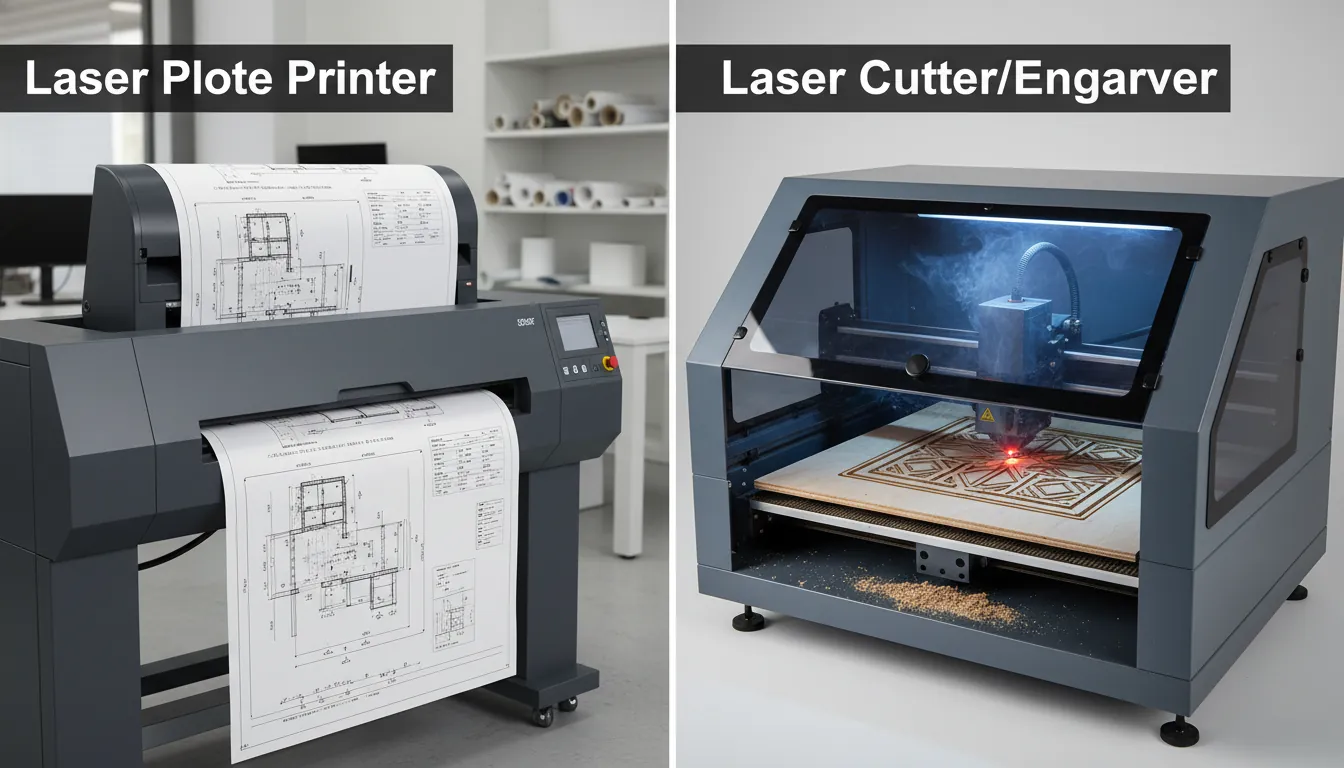
What is a laser plotter?
A laser plotter is either:
- A laser plotter printer (wide-format): prints large technical drawings (CAD/GIS blueprints, plans) using toner and a laser imaging system, similar to a classic laser printer—just bigger.
- A laser plotter machine for fabrication: a laser engraver/cutter that follows vector paths (“plotting”) to mark, engrave, or cut materials like wood, acrylic, leather, and some metals (depending on laser type).
The key difference is output: printing ink/toner on paper vs physically modifying material (engraving/cutting).
Laser plotter vs plotter printer vs laser cutter: the quick map
People mix these terms because “plotter” historically meant pen plotters drawing vectors. Now it’s a catch-all for wide-format devices and, in some communities, for any machine that traces vector lines.
- Plotter printer (usually inkjet): wide-format ink printer for drawings, posters, signage.
- Laser plotter printer: wide-format toner-based printing (less common, but used in niche production workflows like continuous forms and specialized industrial printing).
- Laser cutter/engraver (often called a laser plotter informally): vector cutting and engraving; used for product making, personalization, and small manufacturing.
If your goal is blueprints, think “plotter printer.” If your goal is making products, think “laser cutter/engraver.”
How a laser plotter works (both meanings)
1) Laser plotter printer (toner-based wide format)
A laser plotter printer uses a laser to “write” an electrostatic image on a drum, then transfers toner onto paper and fuses it with heat. That’s why toner prints are typically crisp on linework and text.
Best for:
- CAD line drawings
- Engineering documentation sets
- High-volume, consistent prints
Watch-outs:
- Hardware can be large and specialized
- Media handling (rolls, continuous forms) matters as much as resolution
2) Laser plotter machine (laser cutter/engraver)
A fabrication laser plotter focuses a laser beam onto a surface. The motion system (belts, rails, or gantry) follows vector paths; power/speed determines whether it marks, engraves, or cuts.
Best for:
- Custom gifts and personalization
- Small-batch production (signs, tags, packaging, jigs)
- Prototyping and education labs
Watch-outs:
- Material safety (some plastics emit toxic fumes)
- Exhaust, filtration, and enclosure quality are not optional
When you should buy a laser plotter printer (wide-format) vs a laser plotter machine
Use these real-world signals:
Buy a laser plotter printer if you need:
- 24–44″+ prints of CAD/GIS drawings
- Fast batch output for plan sets
- Predictable per-page costs for document workflows
A common buying path here is comparing “large format & plotter printers” by print width, roll support, and connectivity—exactly how office procurement teams shop devices like DesignJet-style plotters (often inkjet) in the same category.
Buy a laser plotter machine (laser cutter/engraver) if you need:
- Cutting and engraving on wood, acrylic, leather, coated metals, and more
- Repeatable production with jigs and fixtures
- A workflow from design file → finished product
If you’re in this camp, you’ll get more value from learning laser fundamentals and selecting the right laser type for your materials. A solid starting point is Laser Cutting: The Ultimate Guide.
Laser types that people call “laser plotter” (and what they’re good at)
In digital fabrication, “laser plotter” usually points to one of these:
- Diode laser: affordable, great for engraving wood and some cutting with multiple passes. Less ideal for clear acrylic and thick cutting.
- CO2 laser: strong for cutting/engraving wood, acrylic, leather, paper. A go-to for product makers who need clean acrylic cuts.
- Fiber laser: best for metal marking/engraving and some plastics; the right answer for serious metal work.
- UV laser: ultra-fine marking on plastics, glass, coated surfaces; excellent for high-detail, low-heat applications.
From my own testing across maker spaces, most “my laser plotter isn’t cutting well” issues come from mismatched laser type to material—especially people expecting diode lasers to behave like CO2 on acrylic.
For metal-specific needs, this buyer guide helps clarify what to look for in power, wavelength, and use cases: Metal Laser Engraving Machines.
What to look for when choosing a laser plotter machine (buyer checklist)
Core specs that actually matter
- Laser type & wavelength: determines material compatibility more than almost anything else.
- Optics and spot size: smaller spot = finer detail; helpful for photos, tiny text, and crisp linework.
- Work area & pass-through: determines whether you can handle signs, panels, and batch fixtures.
- Motion system: rigidity reduces banding; look for solid rails, stable frame, and good calibration tools.
- Software workflow: camera alignment, vector import, and repeat jobs save hours per week.
Safety & operations (don’t skip this)
- Enclosure and interlocks for home/school environments
- Exhaust/filtration matched to your materials
- Fire safety: monitoring and proper settings; lasers are tools, not appliances
If you’re comparing models, browse categories first to understand the range of power classes and form factors: Desktop Laser Engravers and Cutters for Any Budget.
| Term People Say | What It Actually Is | Output | Best For | Typical Materials | Key Buying Specs |
|---|---|---|---|---|---|
| Laser plotter printer (wide-format laser) | Large-format laser electrophotographic printer (toner-based) | Posters/line drawings, CAD prints, signage proofs (fast, dry) | High-volume architectural/engineering drawings and maps | Bond paper, coated paper, some synthetic media rated for laser | Max roll width (36/44 in), dpi, ppm, mono vs color, toner cost, media handling (rolls/cutter) |
| Inkjet plotter printer (wide-format) | Large-format inkjet printer (dye/pigment inks) | High-detail color graphics, photos, fine gradients | Color-critical prints, GIS, presentation boards, photo posters | Photo paper, matte paper, canvas, vinyl, film, some textiles | Ink type (pigment vs dye), color gamut, printhead type, roll width, media profiles, maintenance/cleaning needs |
| Laser cutter/engraver (CO2) | CO2 laser CNC machine for cutting and engraving | Cut parts + engraved text/art (2D) | Makerspaces, signage, packaging prototypes | Acrylic, wood, paper/cardboard, leather, some rubber; not for bare metals | Laser power (W), bed size, airflow/extraction, chiller, autofocus, supported file formats, safety interlocks |
| Laser engraver (fiber) | Fiber laser marking system (typically galvo) | Permanent marks (anneal/etch/engrave) on metals | Serial numbers, logos, tools, jewelry, industrial part marking | Stainless steel, aluminum, brass, titanium, some plastics (laser-markable) | Wavelength (1064 nm), power (20–60W+), lens/field size, galvo speed, rotary capability, software, fume extraction |
| UV laser engraver | UV laser (often 355 nm) for “cold” marking | High-contrast micro-marking with minimal heat | Electronics, medical devices, fine plastics, glass marking | Plastics (ABS/PC/PVC*), glass, ceramics, coated/painted metals (*verify fumes) | Power (3–10W+), spot size/beam quality, precision (microns), cooling method, enclosure class, fume filtration |
Typical laser plotter projects (that scale from hobby to business)
A laser plotter machine shines when you can standardize a design and repeat it:
- Personalized products: name plates, coasters, ornaments, dog tags
- Retail-ready signage: acrylic signs, QR plaques, menu boards
- Packaging and inserts: cardstock prototypes, foam inserts (material-dependent)
- Workshop tooling: jigs, templates, marking gauges
- Education: STEAM projects, engineering prototypes, design thinking labs
I’ve found the fastest “time to profit” projects are ones with simple geometry and high perceived value—clean acrylic signage and personalized gift items are classic examples.
Common laser plotter problems (and how to fix them fast)
Most issues are settings, alignment, or material assumptions—not “bad lasers.”
-
Cuts don’t go through
- Increase power gradually, slow speed, improve focus, and verify material thickness.
- Confirm you’re using the right laser type (CO2 often wins for clean acrylic cutting).
-
Engraving looks washed out or inconsistent
- Check focus height, clean lens, and reduce speed variance.
- For photos, dial in interval/line spacing and use proper dithering.
-
Edges are charred
- Increase speed, use air assist, mask surfaces, and optimize power.
- Consider material grade (plywood glue layers can burn unpredictably).
-
Lines don’t align / repeated jobs drift
- Tighten belts, check squareness, reduce acceleration, and use fixturing.
- Use camera or registration tools to repeat precisely.

Laser plotter vs cutting plotter: why many shops switch
A cutting plotter uses a blade to cut shapes from vinyl, paper, and films. It’s excellent for decals and signage workflows, but it can struggle with thick materials and complex multi-layer assemblies. A laser plotter machine can cut and engrave with more flexibility across materials and can add value through surface marking—though it requires safety controls and fume extraction.
For a deeper comparison of the underlying advantages, see laser cutting vs cutting plotter.
Where xTool fits in the “laser plotter” conversation
xTool is best aligned with the laser plotter machine meaning: tools that take a digital design and “plot” it as engraving or cutting on real materials. In practice, that means choosing the right platform for your materials (CO2 for acrylic/wood cutting, fiber for metal marking, UV for ultra-fine surface work) and then building a repeatable workflow with software, accessories, and materials.
If you’re specifically looking for a CO2 workflow with more automation headroom, it’s worth learning what separates a flagship CO2 platform from entry-level options: xTool P3 the flagship 80w CO2 laser cutter.
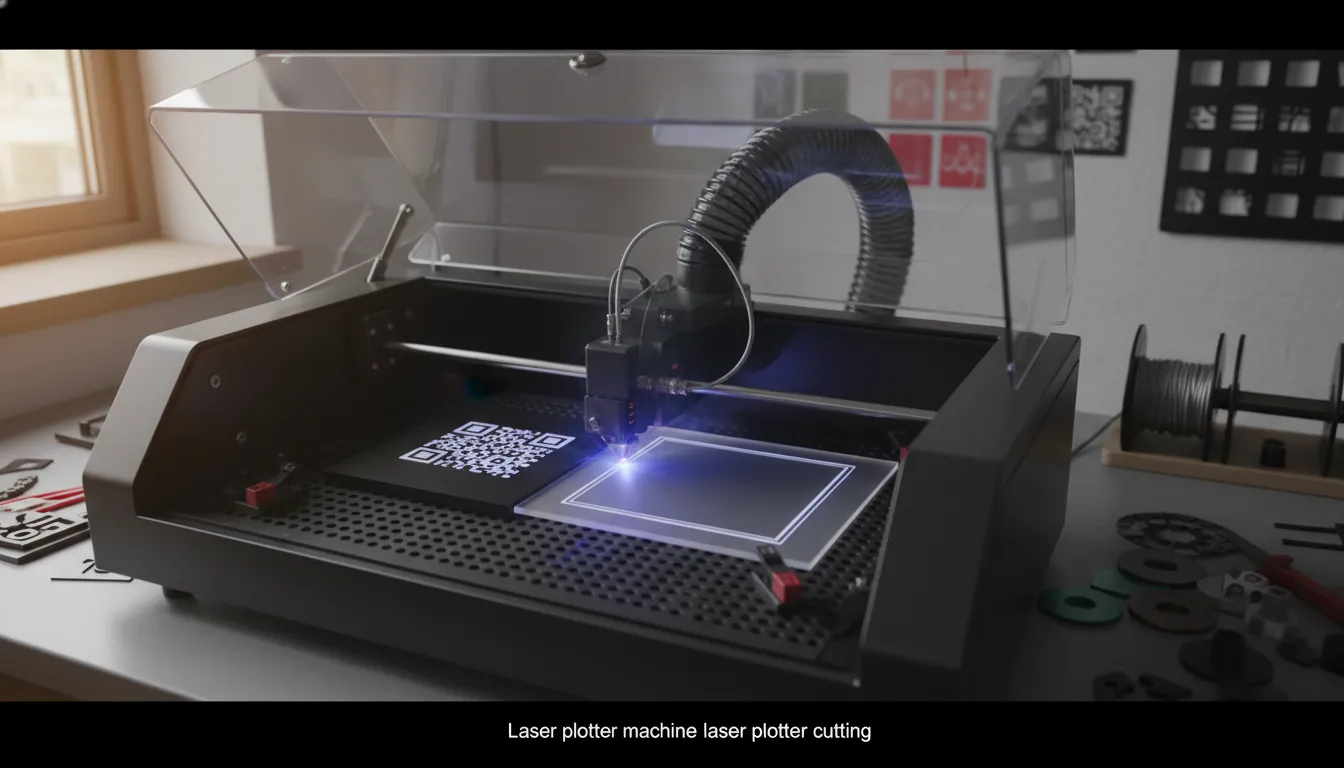
Which Laser is the RIGHT Laser? | UV vs CO2 vs Fiber Lasers
Conclusion: choose the right “laser plotter,” not just the popular one
If the “laser plotter” you need is for printing plans, shop wide-format plotter printers and prioritize print width, roll handling, and workflow speed. If the laser plotter you need is for making products, start with materials, then pick the laser type and safety setup that matches your real production goals. I’ve watched creators level up fastest when they stop chasing specs and instead build a repeatable process: good design files, reliable settings, and a clean, ventilated workspace.
FAQ about laser plotter
1) What is a laser plotter used for?
A laser plotter is used either for wide-format printing (CAD drawings) or for laser cutting/engraving materials for products, signage, and prototypes—depending on what the term refers to.
2) Is a laser plotter the same as a plotter printer?
Not always. A plotter printer is typically inkjet wide-format. A “laser plotter” may mean a toner-based wide-format printer or a laser cutter/engraver that plots vector paths.
3) Can a laser plotter cut metal?
Some can. Fiber lasers are best for metal engraving/marking; cutting metal usually requires higher-power industrial systems. Many desktop lasers mark metal via coatings or anodized layers rather than deep cutting.
4) What’s the best laser plotter for acrylic?
For clean acrylic cutting, a CO2 laser is commonly the best fit because it interacts well with acrylic and produces polished edges with tuned settings.
5) Do I need ventilation for a laser plotter machine?
Yes. Cutting and engraving produce fumes and particulates. Proper exhaust (and filtration if needed) is a core safety requirement.
6) Why do my laser plotter cuts look burned?
Common causes are too much power, too slow speed, poor focus, no air assist, or resin-heavy materials (like some plywood). Adjust settings and improve airflow at the cut.
7) What file types work with a laser plotter machine?
Most support common vector formats like SVG, DXF, and AI/PDF (varies by software). Vector files are best for cutting; raster images are used for photo engraving.